Skip to content

Free open house feedback form

Three 1 to 10 ratings, “Was I helpful?” and a few lines for comments. The same questions as the Welcome card sign-in.

Letter size, one page. No email, no sign-up.

Sample entries. The PDF prints blank.Full-size version

Paper or the Welcome card?

The paper form and the Welcome card ask the same questions. The difference is where the answers end up.

The paper form

Hand it out on the way out, add it up that evening.

CostFree PDF
The ratingsCircled on paper
Tied to a visitorOnly if they write their name
Where answers goA stack in your bag
Summary for the sellerYou add them up

The Welcome card

The same ratings, on the visitor's own phone.

CostSeparate kit; price to be confirmed
The ratings1 to 10 sliders on their phone
Tied to a visitorSaved with their sign-in
Where answers goA note on their contact in your MVB CRM
Summary for the sellerYou read them in the notes

What happens when a visitor taps

  1. Tap

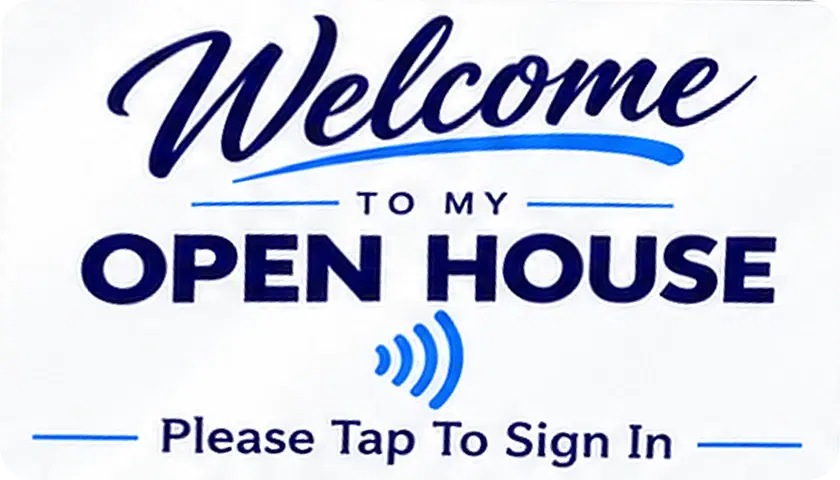
    A visitor taps the card by the door. Your sign-in page opens in their phone's browser. They don't need the app.

  2. Sign in

    Name, mobile number and email. Then optional questions: rent or own, timeline, the three ratings and “Was I helpful?”

  3. Follow up

    The contact lands in your MVB CRM and you get an email. A follow-up is scheduled, and their answers are saved as a note.

The Digital Lead Capture Kit includes a digital keychain, a premium metal digital registration card for open houses and a customized digital business card. It comes with the My Virtual Boss annual plan, which includes your Pro app subscription.

See what's in the Starter Kit
1:205G
OPEN HOUSE SIGN-IN
Welcome To My Open House
Your information helps us provide feedback to the seller and better serve our customers. We love constructive criticism.
Hosted by Your Name · Your Brokerage
Tell us about yourself
Sample page. Nothing you type here is sent anywhere.
1:20 PM

The ratings, on her phone. Sample page.

1:215G
Crm
Search Contacts
Contacts4
Follow-ups
Maria Lopez
Follow up call
Today at 9:30 AM
Asked what she would walk away with
Darnell Price
Showing feedback
Today at 10:00 AM
Second look with his wife
Joyce Albright
Follow up call
Today at 11:30 AM
Thinking about spring
Ken Osei
Showing feedback
Today at 1:00 PM
Liked the kitchen, worried about the roof
Priya Shah
Follow up call
Today at 3:30 PM
Met at Saturday's open house
1:21 PM

Her follow-up, in your MVB CRM. Sample data.

What each rating tells the seller

The form asks the same three questions as the Welcome card sign-in, 1 to 10 each. Keep them separate when you report back. An average of all three hides the one that matters.

Clean

“Was the home clean?”

Clutter, smells, pets, dust. Usually the cheapest thing to fix before next weekend.

Well cared for

“Does it appear to be well cared for?”

Condition: worn floors, dated fixtures, the repairs visitors noticed. Bring it to the seller with a short repair list.

Priced right

“Do you believe it is priced right?”

How the home compares with what else they've seen. Several low scores in a row are worth a price conversation with the seller.

“Was I helpful?”
This one is for you, not the seller. Visitors answer Yes, completely, Mostly or Not yet. A run of Mostly is worth a look at how you greet and walk people through.
What did you like? What would you change?
The comments are what sellers remember. Quote two or three word for word.

How to ask for feedback without making it awkward

Feedback comes easier on the way out than at the door. By then they have seen the house and formed an opinion.

Hand it out on the way out

Sign-in at the door, feedback at the end. One form per group is enough.

Make the name optional

Some visitors are more candid about price when they don't have to sign. The form says the name is optional.

Say who it's for

“It helps the seller.” Visitors are kinder and more specific when they know a person reads it.

Keep pens on the counter

Put the forms where people pause, usually the kitchen. Keep it short enough to finish standing up.

Sharing feedback with the seller

At 4:05 the seller texts, “How did it go?” Answer with the count, the three ratings and their words. Leave out every name and number.

  1. Count the groups that came through.
  2. Average each rating on its own.
  3. Pick two or three comments and quote them exactly.
  4. Send it that evening or the next morning.

If Priced right keeps coming back low, bring the numbers to the conversation.

Open the Florida seller net sheet

To the seller, Saturday 6:10 PM

9 groups came through today. Clean 8.4, Well cared for 7.9, Priced right 6.1 out of 10.

What they said: “Loved the kitchen and the light.” “Second bedroom is small for the price.”

Can we talk price on Monday? I'll bring the net sheet.

Sample summary. The numbers are made up.

Put every name in your MVB CRM

Free to start. Each visitor gets a follow-up date, and the app asks "Did you follow up?" when it's due.

Download on the App Store

Questions agents ask

What questions should be on an open house feedback form?

Keep it short enough to finish standing up. This form asks three 1 to 10 questions (Was the home clean? Does it appear to be well cared for? Do you believe it is priced right?), whether you were helpful, and what they liked or would change.

Should open house feedback be anonymous?

The name line on this form is optional. Some visitors are more candid about price when they don't have to sign. If you want feedback tied to a contact, ask for it on the sign-in sheet instead.

How do I share open house feedback with the seller?

Send a short summary: how many visitors, the average of each rating and two or three comments word for word. Leave out visitors' names and contact details.

Can the sign-in and feedback be on one page?

On paper, use the sign-in sheet at the door and hand out this form on the way out. With the Welcome card, the ratings and “Was I helpful?” are part of the sign-in page.

Is the feedback form free?

Yes. Download the PDF or print it from this page. No email form, no sign-up.

More free open house printables

All open house tools

Open house sign-in sheet

One letter-size page with the seven columns you need to follow up. Print it free, or let visitors sign in on their own phones.

Get the free sign-in sheet →

Open house checklist

Seventeen checks from the week before to the morning after, and a door script that fits on the same page.

Get the free checklist →